





How to log in to the VDS control panel
To log in to the VDS control panel:
1. Log in to the client area
2. Go to the "My Servers" section (in the top menu):

3. Select the server you need from the list (click its ID)
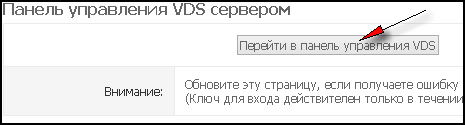
4. Click the "Go to VDS control panel" button
1. Log in to the client area
2. Go to the "My Servers" section (in the top menu):
3. Select the server you need from the list (click its ID)
4. Click the "Go to VDS control panel" button
- 197 Users Found This Useful
Related Articles
What is the VNC console and why do I need it?
We provide all our clients with access to the server console via the VNC protocol.
In fact, it is the same as a KVMoIP connection for dedicated servers: with the VNC console you can see what is happening on your virtual machine's screen and...
How do I enable VNC access to my server?
To enable the VNC console (what it is and why you need it), do the following:1. Log in to the VDS control panel 2. Make sure the server is powered on (its status is "Running"). If the server is stopped, start it:
3. If VNC access is disabled,...
What is server reinstallation and how does it work?
What "reinstallation" is and why you may need it:
It is a process in which your server's current disk is formatted and a new OS image is installed on it. So if "everything is broken", "nothing works", you just want to "start over" or you need a...
VNC console: questions and answers
Q: What is the VNC console? What is it for?
Q: How do I enable VNC access to my server?
Q: How do I send ALT+CTRL+DEL to the server?
A: Use the special button at the top of the VNC client:
Q: I can't enter my password: I press the...
How to power on (start) a VDS
1. Log in to the VDS control panel
2. Click the "Server Status" button and select "Start" from the menu that appears.
In a few minutes the server will boot and you can continue working with it. If needed, use the VNC console to monitor the...
