





How do I find out which IPs logged in to my server via Remote Desktop (RDP)?
Information about which IP addresses were used to log in to the server via Remote Desktop can only be found in the Windows event log itself:
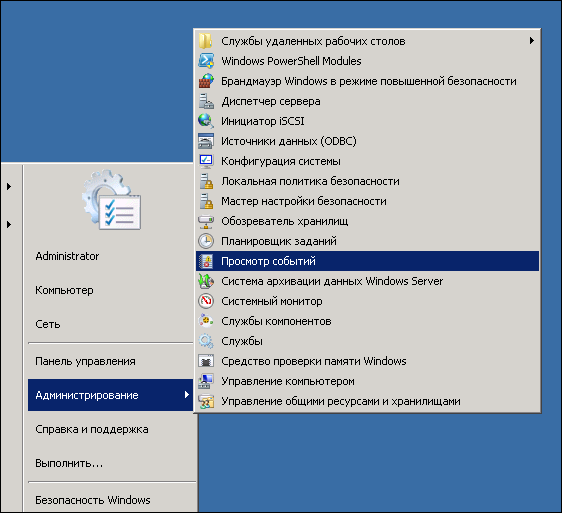
1. Click "Start" -> "Administrative Tools" -> "Event Viewer":
2. In the log tree on the left, select in turn:
"Applications and Services Logs" -> "Microsoft" -> "Windows"
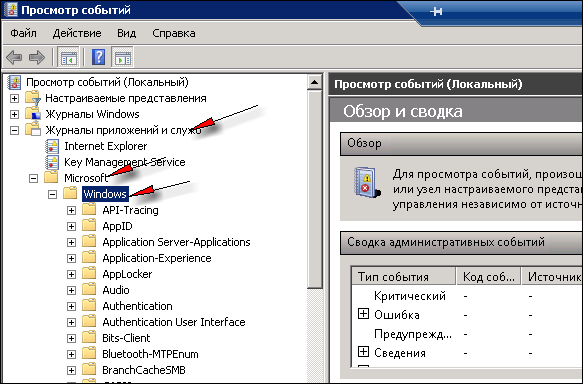
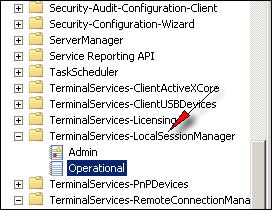
then find "TerminalServices-LocalSessionManager" -> "Operational" in the list
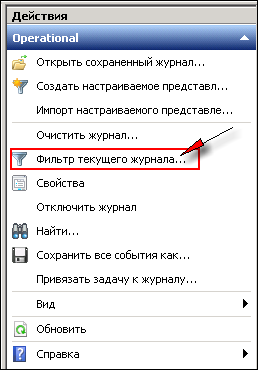
3. On the right, in the "Actions" pane, click "Filter Current Log...":
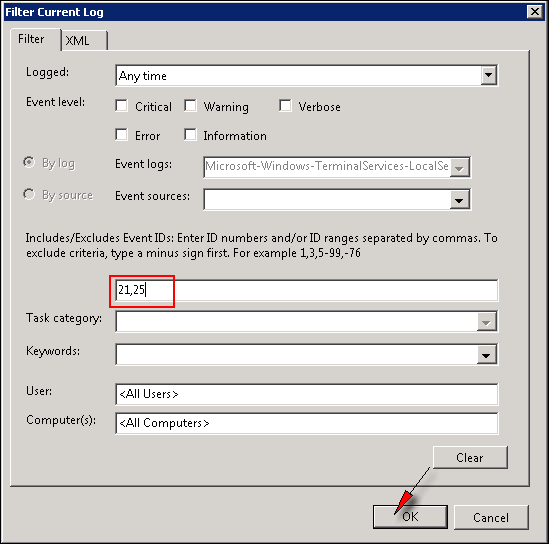
4. Enter the event IDs 21,25 in the corresponding field of the form that appears and click OK:
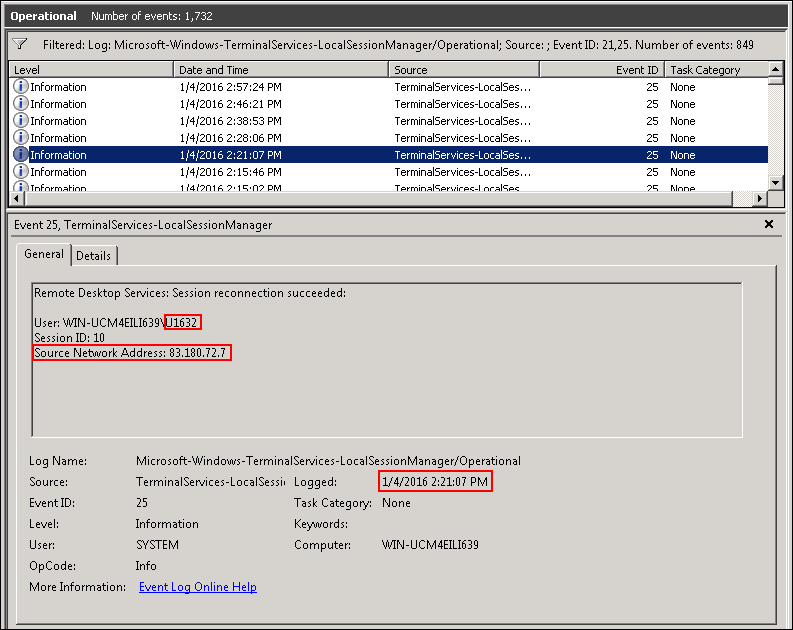
5. Only the entries you are interested in will remain in the list. Each entry is a Remote Desktop (RDP) logon, showing the logon time, the user name and the IP it came from:
1. Click "Start" -> "Administrative Tools" -> "Event Viewer":
2. In the log tree on the left, select in turn:
"Applications and Services Logs" -> "Microsoft" -> "Windows"
then find "TerminalServices-LocalSessionManager" -> "Operational" in the list
3. On the right, in the "Actions" pane, click "Filter Current Log...":
4. Enter the event IDs 21,25 in the corresponding field of the form that appears and click OK:
5. Only the entries you are interested in will remain in the list. Each entry is a Remote Desktop (RDP) logon, showing the logon time, the user name and the IP it came from:
- 348 Users Found This Useful
Related Articles
How do I make programs start automatically on the server?
Let's look at how a server starts up, so that what follows is easier to understand:
1) you turn the server's "power" on or restart it using the "reset" function2) the server powers on and the OS boots!--> at this point the server does not...
No more than 2 people can connect to the server via Remote Desktop at the same time
To allow more than two people to work on the server at the same time, you need to install a terminal server on it.
Questions about antivirus protection and firewall on the server
Q: What antivirus protection is installed on the server?
A: An antivirus is not part of the operating system and, accordingly, is not included in its distribution.
Q: Do I need to install additional software (antivirus, firewall, etc.) to...
How do I enable sound when working via Remote Desktop?
If you want sound to work when connecting via Remote Desktop (i.e. sound played on the server is transferred to your computer), first of all you need to enable the corresponding option in the RDP client settings. To do this, after launching the...
What other ways are there to copy files to my server?
Besides copying files via the clipboard, you can use other file transfer methods. For example, Radmin or TeamViewer. If you want to use these tools, you need to install the corresponding software on the server. Additional information, instructions...
