





If you want to delete your VDS completely without waiting for the paid rental period to end, you need to "cancel" the server in the client area.
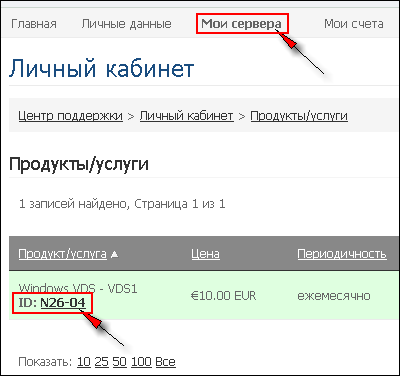
To do this, go to the "My Servers" section and select the server from the list:
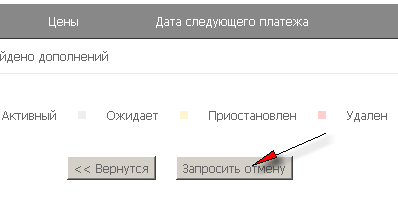
Then click the "Request Cancellation" button at the bottom of the page:
specify the reason and select the "Immediate" option:
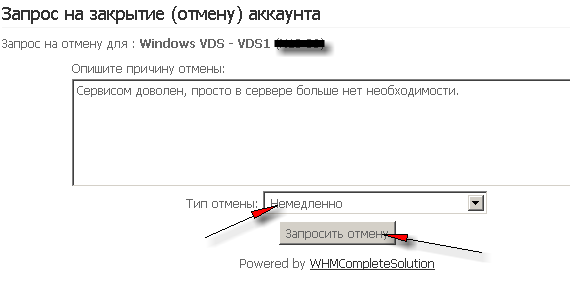
Once the request is confirmed, the server will be terminated automatically the next day (at ~9:00 Kyiv time). If you want to speed up this process, submit a corresponding ticket to technical support. The invoice for the server for the next month (if already issued) will be cancelled together with the server.
Please note that if you cancel a server early (delete it), no recalculation is made and you will not be compensated for the unused period. So if you want the server to be deleted after the paid period ends, select the corresponding option when submitting the cancellation request.
Tags: [TAG:Панель управления]
- 132 Users Found This Useful
