




By default, when you work with a Windows VDS via Remote Desktop and do not perform any actions on the server for more than 10 minutes, the server turns on a screensaver, and you have to enter your password again to dismiss it. This is done for security reasons.
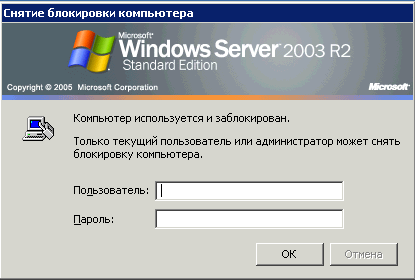
If this is inconvenient for you, you can increase the timeout or disable the password prompt after the screensaver starts altogether:

Windows Server 2008

"Start" -> "Control Panel" -> "Appearance" -> "Change screen saver" (under "Display")

Windows Server 2003

Right-click an empty area of the desktop - "Properties" - go to the "Screen Saver" tab
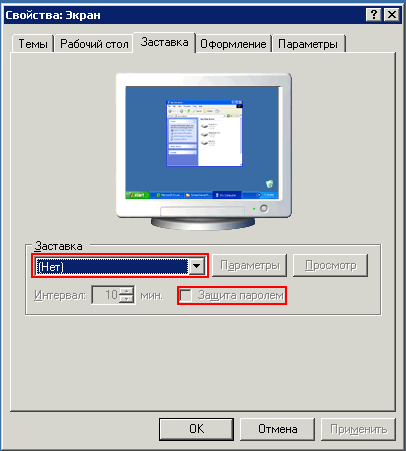
Here you can disable the screensaver, choose the wait time before it starts, and choose whether a password is required to unlock the session (the "On resume, display logon screen" option).

  • 157 Users Found This Useful
Was this answer helpful?
Related Articles
How do I copy files to my server via the clipboard?
Files are copied between your computer and the remote server via the clipboard. For this to work, you need to enable the corresponding local resources in your RDP client settings: 1. Launch the RDP client on your computer: "Start" -> "Run"...
How do I make programs start automatically on the server?
Let's look at how a server starts up, so that what follows is easier to understand: 1) you turn the server's "power" on or restart it using the "reset" function2) the server powers on and the OS boots!--> at this point the server does not...
How do I change the administrator password?
Important: The new password must be at least 10 characters long and contain uppercase and lowercase letters plus digits; otherwise you will get an error saying the password does not meet the security requirements.Option 1.To change the...
Extending a logical partition after an HDD upgrade
On Windows Server 2008:1. Make sure the "Virtual Disk" service is running on the server. To do this, run the following commands one after another: sc config vds start=  autonet start vds 2. Open "Server Manager" and select "Storage" -> "Disk...
I want to switch to a different plan. How do I do that?
The ability to upgrade (move to a larger plan) is one of the advantages of virtual servers. You can start with a minimal server configuration and move to more powerful configurations as needed. All your data, programs and settings are preserved....
