On Windows Server 2008:

1.
Make sure the "Virtual Disk" service is running on the server. To do this, run the following commands one after another:

sc config vds start=  auto
net start vds


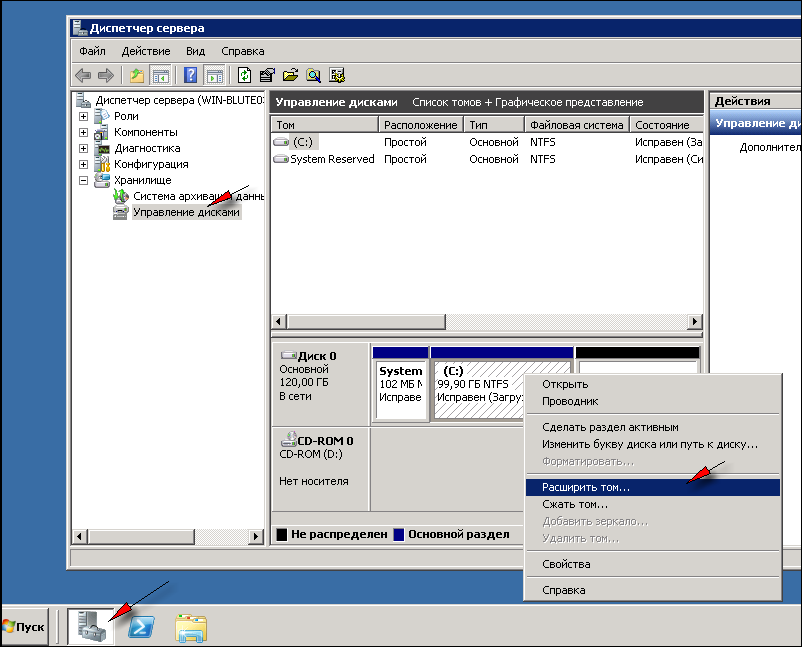
2. Open "Server Manager" and select "Storage" -> "Disk Management" in the left-hand menu.

3. Right-click "Disk Management" and select "Rescan Disks" in the menu that appears, then "Refresh".

4. Right-click the logical partition you want to extend and select "Extend Volume" in the context menu. Only the last volume, the one adjacent to the unallocated space, can be extended!


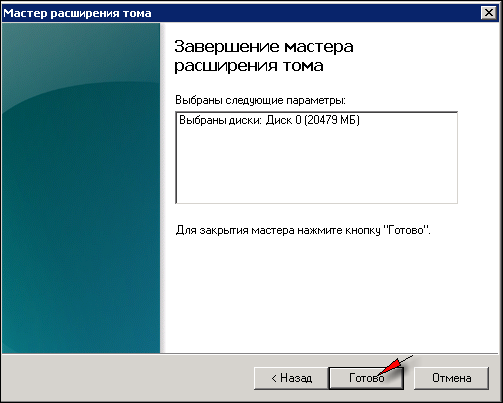
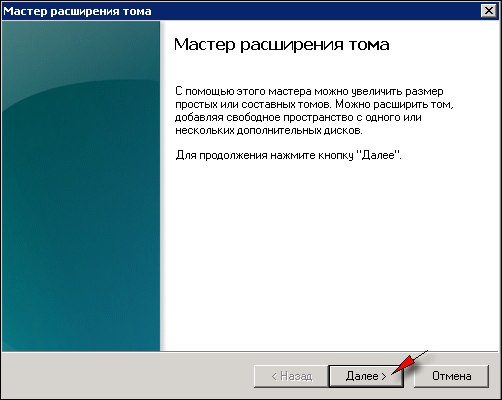
5. Keep clicking "Next" until the wizard is complete:
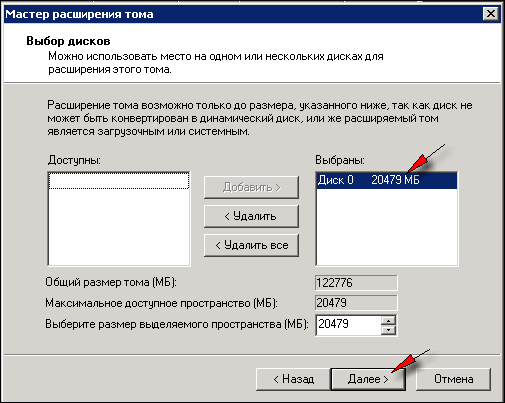


When it finishes, the logical partition will be extended to use all available space.

Note: if you have several logical partitions (for example, C: and D:), only the last partition (the one adjacent to the free space) can be extended this way. To resize other partitions or redistribute space between them, you need to boot the server from a LiveCD such as Reanimator or Gparted and perform the necessary operations from there. If you lack the experience and do not have your own administrator, you can always order this task from our specialists for a small fee.

  • 154 Users Found This Useful
Was this answer helpful?
Related Articles
How do I make programs start automatically on the server?
Let's look at how a server starts up, so that what follows is easier to understand: 1) you turn the server's "power" on or restart it using the "reset" function2) the server powers on and the OS boots!--> at this point the server does not...
How do I change the administrator password?
Important: The new password must be at least 10 characters long and contain uppercase and lowercase letters plus digits; otherwise you will get an error saying the password does not meet the security requirements.Option 1.To change the...
I want to switch to a different plan. How do I do that?
The ability to upgrade (move to a larger plan) is one of the advantages of virtual servers. You can start with a minimal server configuration and move to more powerful configurations as needed. All your data, programs and settings are preserved....
Important information for new clients!
Under construction
How is a server blocked?
If your server has been blocked or suspended (due to an overdue abuse complaint, network scanning or late payment), network access to it is blocked, although the server itself keeps running (running programs continue to work, but there is no...